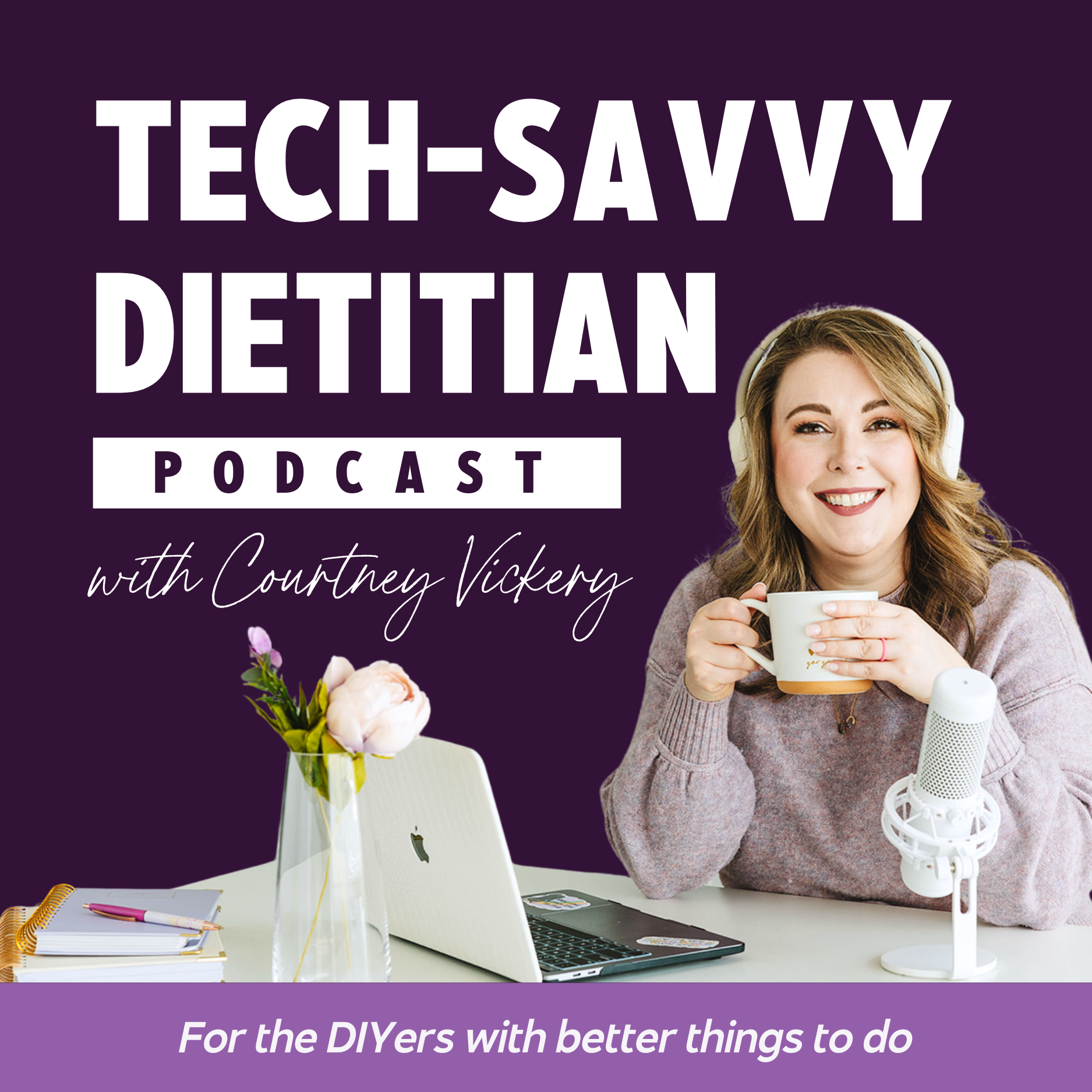

TSD: S1| E3 - A Smarter Client Onboarding System (Without Overcomplicated Tech)
Tech-Savvy Dietitian
| Courtney Vickery | Rating 0 (0) (0) |
| https://decletdesigns.com | Launched: Oct 22, 2025 |
| hello@decletdesigns.com | Season: 1 Episode: 3 |
📌 What We Cover:
-
Why onboarding isn’t just admin — it’s client relationship building
-
How to use Practice Better Programs to make onboarding feel like a course
-
Using Google Workspace to automate intake and email
-
What to include in your welcome email (and why you need one!)
-
Creating a values-aligned intake form that doesn’t feel cold or clinical
-
How to incorporate conditional logic so forms don’t overwhelm clients
-
Tips for making your communication boundaries crystal clear
-
How to send less email (while still being super supportive)
🛠 Quick Wins from This Episode:
-
Write your onboarding welcome email template
-
Record a short “Welcome to the Portal” video
-
Review your intake forms for inclusivity and length
-
Set up one simple automation from booking → welcome email + intake form
-
Don’t overthink it: just make it warm, clear, and consistent
🧠 Tools Mentioned:
-
Practice Better
-
Google Workspace
-
Mailman for Gmail
-
Zoom (for recording quick intro videos)
📥 Free Resource:
Download the Ultimate Systems Checklist to help you map out your tech, communication, and automation flow:
👉 cliniciancrew.com
TSD: S1| E3 - A Smarter Client Onboarding System (Without Overcomplicated Tech)
Episode 3 - Season 1
📌 What We Cover:
-
Why onboarding isn’t just admin — it’s client relationship building
-
How to use Practice Better Programs to make onboarding feel like a course
-
Using Google Workspace to automate intake and email
-
What to include in your welcome email (and why you need one!)
-
Creating a values-aligned intake form that doesn’t feel cold or clinical
-
How to incorporate conditional logic so forms don’t overwhelm clients
-
Tips for making your communication boundaries crystal clear
-
How to send less email (while still being super supportive)
🛠 Quick Wins from This Episode:
-
Write your onboarding welcome email template
-
Record a short “Welcome to the Portal” video
-
Review your intake forms for inclusivity and length
-
Set up one simple automation from booking → welcome email + intake form
-
Don’t overthink it: just make it warm, clear, and consistent
🧠 Tools Mentioned:
-
Practice Better
-
Google Workspace
-
Mailman for Gmail
-
Zoom (for recording quick intro videos)
📥 Free Resource:
Download the Ultimate Systems Checklist to help you map out your tech, communication, and automation flow:
👉 cliniciancrew.com
Onboarding doesn’t have to be chaotic — and it definitely doesn’t have to be complicated. In this episode, we’re breaking down how to create a smarter, simpler onboarding system that sets boundaries, supports your clients, and saves you from drowning in email. Whether you’re using Practice Better, Google Workspace, or a combo of both, I’ll walk you through exactly what to include (and what to automate) to give your clients a warm, confident welcome without overthinking your tech.
✨ This episode is especially for weight-inclusive dietitians and private practice providers who want their systems to reflect their values — and keep burnout at bay.
Stay Connected:
-
Website: decletdesigns.com
-
Community: cliniciancrew.com
-
Instagram: @decletdesigns
🎧 Subscribe to the show, leave a review, and share this episode with a colleague who’s still sending onboarding emails manually!
📍 Welcome to the Tech Savvy Dietician Podcast, where we believe that your systems should support your practice and not sabotage your sanity. I'm your host, Courtney Vickery, a registered dietician turned web designer and tech translator for private practice owners who are tired of playing calendar Tetris and inbox Detective.
Hey, hey, and welcome back to the Tech Savvy Dietician, where we're not here for the just use notion, an Airtable and a sauna and dedo, and then cry kind of advice. I'm Courtney, your host and fellow dietician who learned the hard way that onboarding a client does not have to be chaotic. Today we're gonna talk about how to build a smarter, simpler onboarding system that will save you time, set boundaries, and actually make your clients feel supported without getting buried in tech.
So let's talk about why client onboarding needs some structure. Let's say your new client is now signed up in a book and you have that awkward, okay, cool. Now what moment? You've done the hard work, you've attracted the aligned client. So now we gotta make sure that we don't drop the ball. We wanna have a good onboarding experience for them.
That way we're gonna have less no shows. More trust and better retention. You need to think of onboarding as setting the tone for your entire client relationship, not just checking off the paperwork. So in our last episode, we talked about my two favorites, practice Better and Google Workspace. So those are still the ones I would say you should get started with.
Google Workspace is something I think you should start with if you aren't ready to jump into practice better and then you would still continue to use Google Workspace in some capacity. For example, in practice, better, I've talked about this before, but of course you can automate the onboarding with making sure that they're added to the client portal.
And you can send forms, but my favorite way is to set up a program and practice better and make the onboarding experience more like a course and programs is what they call them in practice better. That way you can go ahead and have lessons, quote unquote. Where you have the practice better or your own videos, showing them how to use the portal, how to communicate with you.
You can have, you know, a pretty Canva, PDF if you want, embedded in there so that they learn more about you and your practice and the process, what to expect. How to do all the things so they know from the very beginning like, okay, I can send them a message in this chat in this portal and they will answer me within 24 to 48 business hours.
That is an expectation that has been set here. Same thing with Google Workspace. You can use the forms for the intake, set up automations, and , you can also set up and use those templates for the emails as well. Because I really think that you don't need the fanciest tools, but you do need tools that will talk to each other and take things off of your plate.
So this is what I would say for the bear. This is what I would say for the bare minimum that you would need for onboarding. Number one, you have to have that welcome email or message. It should set the tone. It should be warm. Include very clear expectations and what exactly is next. Don't just have them schedule the first appointment or the consult, and then they get a confirmation that says, okay, you're confirmed for this day, the end, and then.
You know, they get like a message the day before that says, oh, did you fill out those forms yet? And then they're like, oh, crap. And then they're stressed out and they're honestly kind of annoyed and we don't want that at all. So we are gonna go ahead and send them everything in that first email and say, I am so glad you're here.
Here's what to expect. Here's what I need you to do. Here's how we communicate. On the intake forms,, I have intake form templates again in the tech savvy clinician crew and also in my shop on my website. But in mine, I always recommend having personal health history. Of course, their food preferences. I.
What are their goals? And again, don't forget to use that conditional logic to your advantage so that the form doesn't feel so long and overwhelming if it's information that you don't need. For example, if you work with eating disorders, but you also work with people that don't have eating disorders, you don't need to ask them all the same questions.
So you need to do one of two things. You need to have a workflow set up that sends non eating disorder, , focused inquiry or intake forms, and then another form that's more general. So you could have two forms or you could use the conditional logic to do that either way, and again, like I said a few minutes ago, don't forget about the orientation to the tech itself.
You know, practice better, Google workspace, whatever it is. Show them what to do and how to use it. How do they need to contact you? How do they cancel? How do they reschedule? How do they look at documents? All of those things should be outlined in the beginning while keeping it concise. Payment and policies.
Make them clear. Don't keep them in tiny little print that no one can read. We need to explain like how billing works linked to your policies, especially your cancellation policy. And I know I'm saying keep this concise and it's hard to keep this concise 'cause it's a lot of stuff, which is exactly why I recommend sending it up somehow.
Similar to. An onboarding type of course, so that it feels more manageable and less like this long, long list of things to do. It's in chunks. So you think of the first chunk as like the lesson one, which is welcome. Here's what to expect, a video from you, lesson two, here's how to communicate with me.
Lesson three, here's the forms that I need you to fill out. And then that feels a lot less overwhelming than like a really long email that has everything in it.
Okay, so with all of these things, how do we keep in mind keeping it values aligned? So of course we're gonna use weight neutral language on our onboarding forms. We're not going to say like we. Let me calculate your BMI for you right here, right now. Gimme your weight. It depends on your clientele and your approach.
Some people don't need the weight to do their work. Some people are working with situations and medical conditions that they do need it. If you don't absolutely need it, then I would say make that question optional, or just ask them like how much have. You weighed over the past few years? 'cause I think we all know that a snapshot in time tells us pretty much nothing.
So maybe ask them their history with their weight. You could also ask what would feeling better in your body look like for you? And I, I always got comments from clients that filled out my nutrition intake forms about how thoughtful and. Empathetic and warm. It was because I was asking questions like that versus, you know, how much do you weigh?
And that's all I care about. What'd you eat yesterday? It's the way you word things that makes a difference and will make people remember and, and feel more comfortable. Hm. Affirm their choice to do things differently. You can include a short message when they're onboarding that says you're choosing a different path.
One that doesn't rely on the scale to measure progress. We'll focus on what exactly and actually matters to your wellbeing. Now, this next one is one that I admittedly still struggle with and I'm working on it every day, and I think we probably all are, but. Boundaries. I think it's really hard, especially for people like us who care.
We care so much and it's part of the problem, right? We care so much that we will almost sacrifice ourself and our wellbeing to take care of someone else, but it's so important for us to practice setting these boundaries, and that's. What I feel like onboarding does, because you tell them I check messages Monday through Thursday and I will respond within 24 hours.
Moving into things you can actually do, and I'm gonna come right into it from that, checking the messages and responding timeframe. I used to get really, really stressed when I would get an email from anyone and feel like I needed to respond immediately. I still do, but I have set up systems that at least alleviate that somewhat.
Number one, I have a quote unquote vacation responder all the time. It is permanent and it says, I got your email and I'm going to respond to you within 24 to 48 business hours, and it's not so much. For them as it is for me, because I don't want them to think, well, she hasn't responded yet. She hasn't responded yet, and I emailed her yesterday.
I want them to know that I did get it and it might, it might take me two business days to answer it because I might have two VIP days to back to back or something, . That helps me feel a little less stressed about it. Another thing that I have done to help with boundaries is I use, , an extension in my Gmail called Mailman.
And what it does is it sends all of your emails to a, it's kind of hidden, but kind of not. If you can, if you wanna find it, you can, but a somewhat hidden folder. In your Google email account, and it keeps them there until it pushes your emails to your actual inbox at the specific times that you tell it to.
So if you said Monday through Friday, push my emails to my inbox at 8:00 AM 12:00 PM and 3:00 PM then those are the times that the emails would come through. Of course, you can have. More extensive setup so that certain things come through anyways, like important emails or alerts. But it's another way that you can, again, protect your time and your energy.
If you're someone like me who finds themselves spending a lot of time in email and feeling like you have to respond to them immediately, .
Here are the quick wins I want you to think about. I want you to write your welcome email template. Go ahead, use chat GPT to get you started, whatever you need to do, but write that template of what you want people to get when they first book with you. Then I want you to record a short video. This is not a Hollywood production.
It does not need to be perfect, but like a 92nd video or something of your portal or your scheduler, or even just you saying, I'm so glad you're here. That, and that's it. It does not have to be complicated. Use zoom to record it. It, it's, it doesn't have to be fancy. Next, I want you to look over your forms.
Are they inclusive? Are they too long? Like, do they need to be that long? Maybe they could be a little shorter. Maybe they need to be longer. You need to assess it and fill it out yourself and see how you would feel filling it out. 'cause I think a lot of times we create the form from the provider standpoint, but we need to actually fill out the form to see how they feel as well.
Then I want you to set up the automation that goes from booking to sending that welcome email template. Assigning the intake form however makes sense for you. We can keep it simple for now. If you're like, I really like the course idea, but that sounds like a lot right now. Don't worry about it. We can do that later.
Right now, we just wanna have it where they book it, they get that welcome email, they get their forms, and they're invited to the portal. Maybe in that welcome email, they get that little 92nd video too. So those are the things that you could do this week or today, and a smoother onboarding process.
Doesn't just make your life easier, but it, it is telling your client, Hey, you're in good hands. I care about this work and here's how we're going to work together. And you don't need a full tech stack overhaul. You just need to make some small changes that can save you five emails a week and maybe prevent some burnout if you want.
A free checklist for your tech stack. You can of course head to clinician crew.com. I have one over there that will help you assess your systems and your tech that you have. , If you can't find it, feel free to email me, , or visit the website@deckletdesigns.com and send me a message. And next week we're gonna talk about my favorite thing, automations.
We're gonna talk about what to keep, what to ditch, and what will actually give you your time back. Don't miss it.
📍 Thank you so much for hanging out on the Tech Savvy Dietician podcast. If today's episode helped your practice feel a little lighter, I would love for you to follow the show, share it with a friend, and even leave a review. If you want even more support, come check out decklet designs.com or clinician crew.com.
Until next time, here's to systems that work and practices that thrive.